Analytics, Toolbox and Companion
Analytics, Life Wheel and Explorer
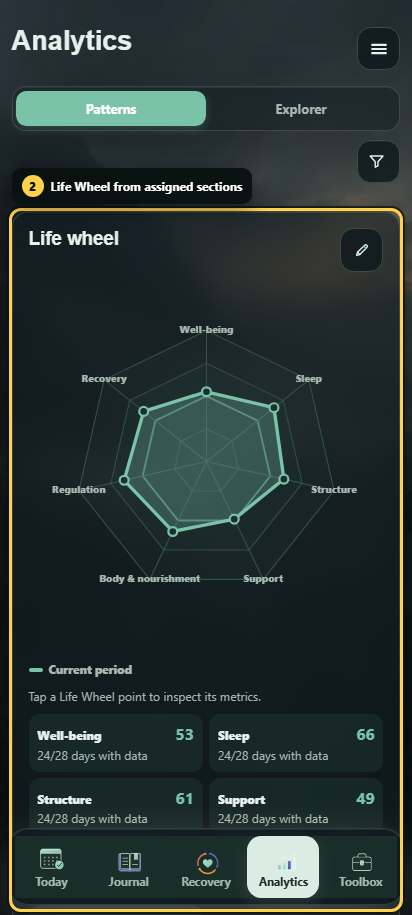
Understanding the Life Wheel
The Life Wheel summarizes the current quality of recorded signals, grouped by life area. Empty days are not treated as poor values.
- Only existing signals enabled for this purpose are included.
- Recent entries count more than older ones.
- Quality, quantity and momentum/data coverage are separate indicators.
- No data means missing evidence, not a scored zero.
- The score is a product metric and not a clinically validated measure.
Tap or click a Life Wheel point to open its details. The detail view separates the current quality, the amount of usable data and momentum, and shows which signals contribute to the axis. A single strong entry can therefore show high current quality while quantity or momentum remains low.
Using Explorer
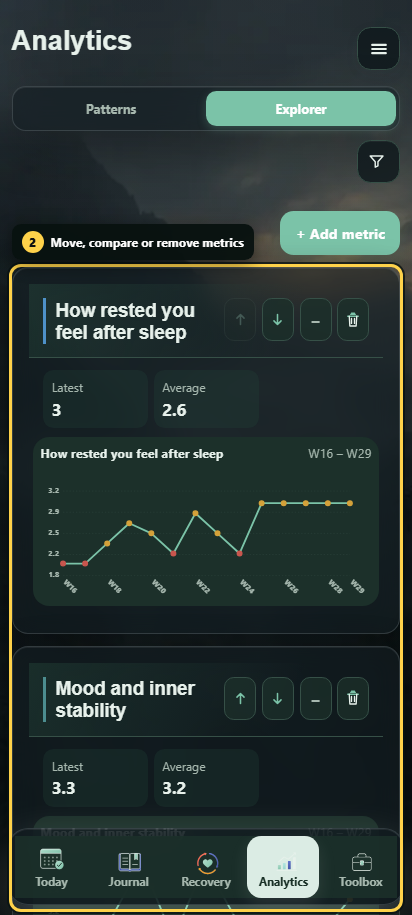
Explorer displays individual metrics over a selected time range. Depending on the field type, you can view days, weeks, months, quarters or years and use suitable aggregations. Choice fields are shown as distributions instead of being averaged through artificial numbers. Repeatable events can also appear as time series.
Interpreting patterns and correlations
With enough data, Steady can display statistical relationships between time series.
- Two values may have changed together during the observed period.
- Missing or incomplete pairs are taken into account.
- An association does not prove a cause.
- Small data sets or a flat series can prevent analysis.
Use patterns to form hypotheses, adjust habits and track what changes next. More detailed explanations are available under Tracking and analytics.
Toolbox and progress
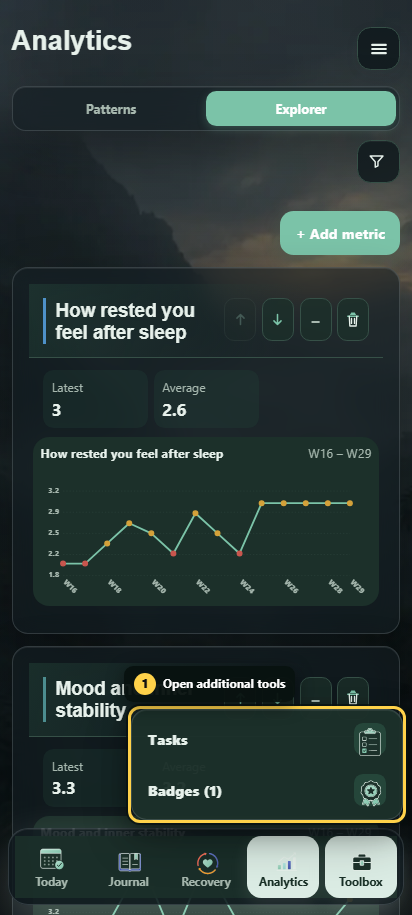
Tasks and checklists
A task can contain a compact title, longer details, priority, an optional deadline, a category and a checklist with independently completable steps. The overview stays compact and shows only the information needed to find and act on a task. Tasks can be filtered, sorted, edited and explicitly deleted.
Task data remains organizational. Completing a task or checklist item does not automatically change the Life Wheel, correlations or daily tracking values.
Milestones, badges and counter coins
Personal milestones derive progress from known field values or events, for example maintaining a target, collecting numeric or duration values, collecting events or recording social connection. Reached levels appear as badges. Missing values do not increase progress.
Active change counters can receive visible time milestones as counter coins. Their day and calendar-month thresholds are configurable under Settings → Milestones; full years continue automatically after year three. They do not alter the counter itself. Inventory, Twelve-Step texts and program-specific literature resources are not part of the General Audience build.
More details are available under Toolbox and progress.
AI Companion
The Companion is optional. Depending on your setup, it can use an on-device LiteRT model, an Ollama or other private endpoint, or a configured cloud provider.
- The Companion has no direct database access.
- It cannot change check-ins, counters, relapses, tasks or settings.
- External endpoints receive tracking data only after explicit approval.
- A limited excerpt assembled for the request is transferred.
- A local failure never silently forwards the conversation to a server or cloud endpoint.
The on-device profiles currently include Gemma 4 E4B with selectable 2K, 4K or 8K context and Qwen3 4B Instruct 2507 with a 2K context. Thinking can be enabled only for supported models or endpoint types. Internal thought output is kept separate from the visible answer and is not persisted as chat text.
Local memories are stored encrypted, can be reviewed in Settings and can be deleted individually or cleared. Before using an external provider, review its privacy and retention terms.